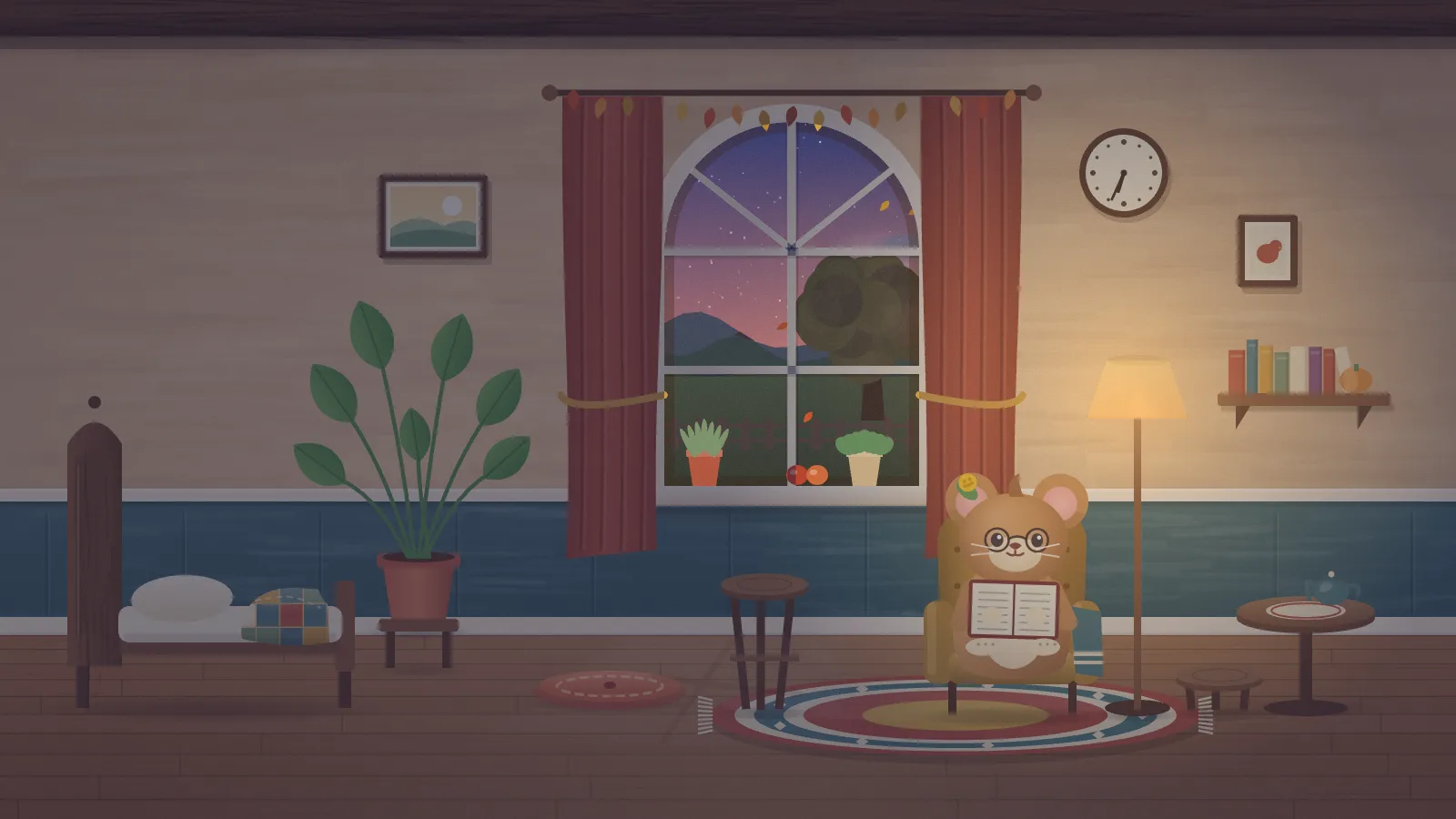
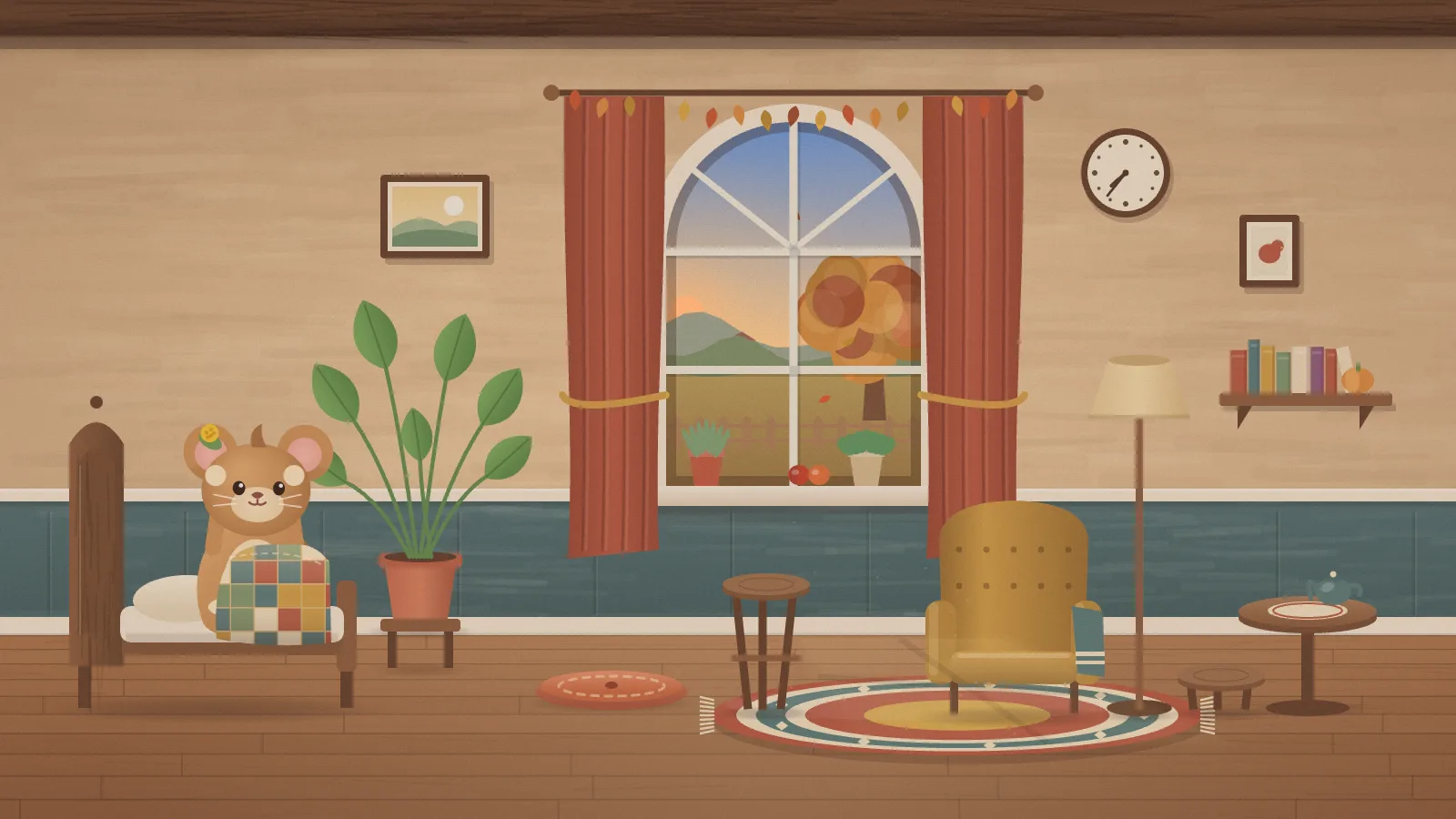
A small creature in a cozy room, living by your clock. It wakes and stretches in the morning, waters a plant, reads, looks out of the window, naps on a cushion after lunch, has tea with the lamp on in the evening, and sleeps at night. Everything is drawn in code — no sprites, no video, no audio — and it is the first display in the collection with a character in it.
EveningTea and a book by the lamp, with dusk in the window.MorningWaking up in bed under a patchwork quilt, the sun just up.
It keeps hours
The day follows the wall clock of the time zone you give it: waking and a stretch, a morning of pottering, lunch, a nap, an afternoon, tea and the lamp in the evening, bed. Bedtime and waking wander by a few minutes from date to date so it never looks like a timer, and two screens agree. Something small happens every 20 to 60 seconds, never the same twice in a row.
Where the weather comes from
Nowhere, unless you give it a place. With a latitude and longitude it asks Open-Meteo for current conditions at most every 30 minutes and lets them show in the window and in what the creature does — an umbrella indoors for rain, mittens for snow, a paper fan for heat. “Weather by Open-Meteo.com” (CC BY 4.0) is credited on screen whenever a place is set. With none set, nothing is requested.
What it wants
A time zone, and optionally a place and a name plate by the bed. The four seasons change the garden outside; a shooting star once a week and an anniversary once a year are the reasons to glance up. The browser keeps only the last weather reading and the date it first met the creature — no cookies, no analytics.
Setup
Put Tansy on a screen.
A browser is genuinely enough — the Mac app and Fully Kiosk below are conveniences, not requirements.
Any screen
nothing to install
Open the display in whatever browser the screen already has.
Go full screen: F11 on Windows and Linux, ⌃⌘F on macOS.
Or give it a browser of its own, which is what a dedicated panel wants: chrome --kiosk <url> — on macOS, open -a "Google Chrome" --args --kiosk <url>.
Turn off display sleep in the machine’s power settings and walk away.
Works on anything with a browser
Mac desktop
LivingKiosk app
Get the app and its install steps at livingkiosk.com/mac. It isn’t notarized yet, so macOS asks you to approve it once.
Menu bar → Library… and pick a display for each screen.
Configure… on any screen for its reload schedule, dim, and saved configs.
Displays are ordinary web pages, so anything that can hold one open works: a Raspberry Pi on a monitor, a retired iPad, a Fire tablet, the browser built into a TV.
Configuration
URL parameters.
Everything below, plus a live preview and a URL builder that writes the link for you, is at tansy.livingkiosk.com/setup.
Parameter
Default
Meaning
tz
the device’s
An IANA zone: whose clock it lives by. An unknown name is ignored.
lat, lon
—
Turns the weather on and places the sun and moon. Both or neither; half a place is ignored.
name
—
A name plate on the wall by the bed, up to 12 characters. Markup and symbols are dropped.
seed
tansy
Varies the day-to-day wobble in bedtime and waking.
dim
0
Black scrim over everything, 0 to 0.8 (fleet-wide convention).
Tansy is open source under the MIT licence. Run it yourself with one command. The source opens to the public soon.