LivingKioskUse now
← All displays

Overhead

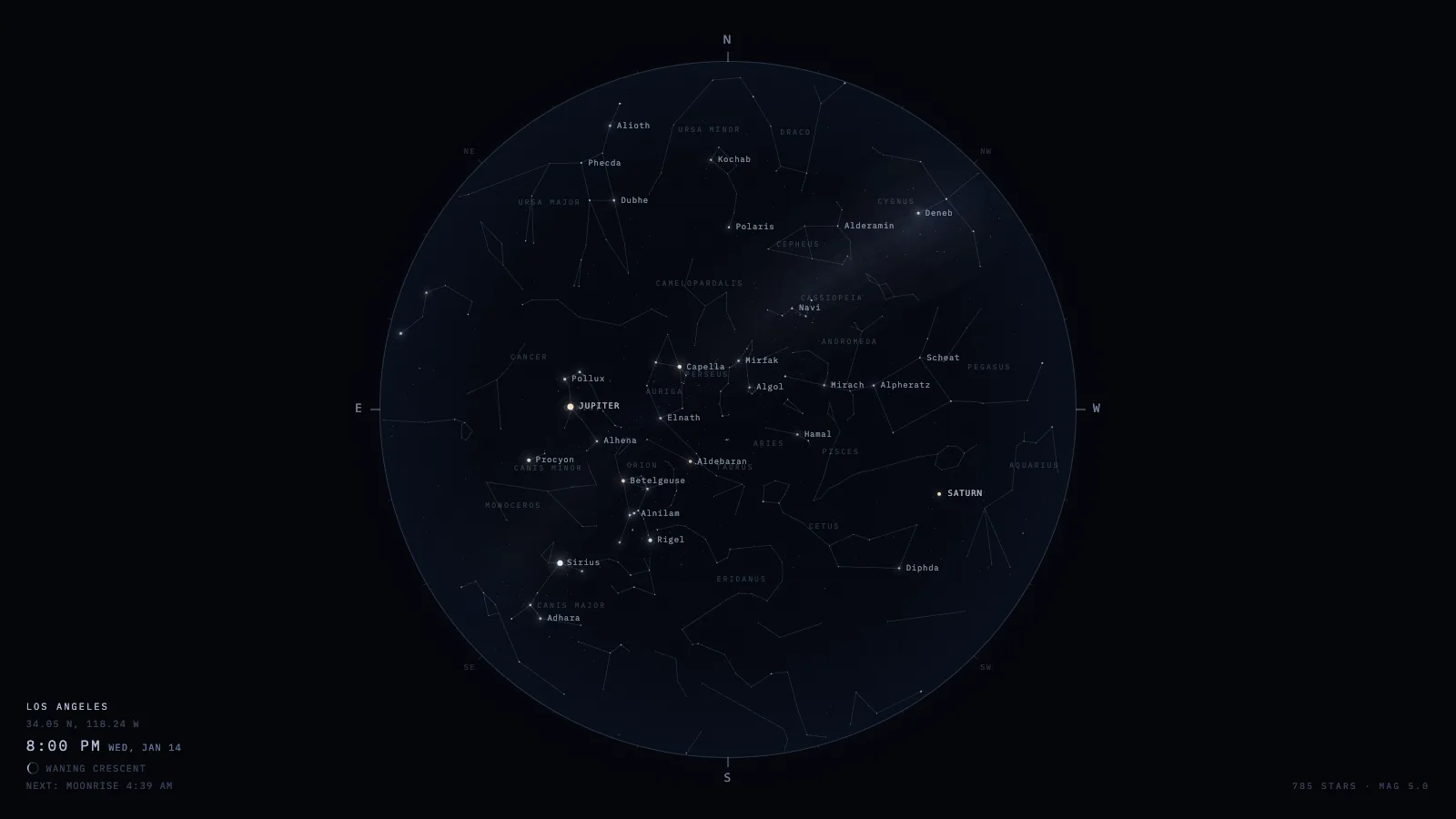
The sky above this address, right now. Real stars in real positions, computed in your browser from bundled catalogues — constellation figures, proper names, and the planets where they actually are tonight. Nothing is fetched while it runs, so it is correct on a plane, in a basement, or after the internet goes away.

Overhead night sky panel: a real-time star chart showing constellations, planets, and the Milky Way above the horizon.
Night skyConstellations, planets, and the horizon for your latitude.

Where the sky comes from

A star catalogue bundled into the image, with the astronomy computed in the browser. There is no upstream call at all — not at boot, not ever.

Where it runs

Self-hosted, read-only container, no database and no outbound traffic. It is the cheapest display in the collection to keep alive.

What it wants

A latitude and longitude, and a dark room. Set the location once in the URL and it stays correct for as long as the screen is on.

Setup

Put Overhead on a screen.

A browser is genuinely enough — Plash and Fully Kiosk below are conveniences, not requirements.

Any screen

nothing to install
  1. Open the display in whatever browser the screen already has.
  2. Go full screen: F11 on Windows and Linux, ⌃⌘F on macOS.
  3. Or give it a browser of its own, which is what a dedicated panel wants: chrome --kiosk <url> — on macOS, open -a "Google Chrome" --args --kiosk <url>.
  4. Turn off display sleep in the machine’s power settings and walk away.

Mac desktop

via Plash
  1. Install Plash from the Mac App Store — it renders any web page as your desktop wallpaper.
  2. Menu bar icon → Open URL… and paste the display’s address.
  3. Leave Browsing Mode off so clicks pass through to your desktop as normal.
  4. Plash reloads on wake, so it recovers on its own after sleep.
sindresorhus.com/plash →

Wall tablet

via Fully Kiosk
  1. On any Android tablet, install Fully Kiosk Browser.
  2. Settings → Web Content → Start URL: the display’s address.
  3. Under Device Management, keep the screen on and set a dim schedule so it isn’t glaring at 3am.
  4. Turn on Start on Boot so a power blip brings the display back by itself.
fully-kiosk.com →

Displays are ordinary web pages, so anything that can hold one open works: a Raspberry Pi on a monitor, a retired iPad, a Fire tablet, the browser built into a TV.

Configuration

URL parameters.

Everything below, plus a live preview and a URL builder that writes the link for you, is at overhead.livingkiosk.com/setup.

ParameterDefaultMeaning
lat / lon34.05 / -118.24Observer position. Both required together, or the corner label shows the server default place instead.
placeLos AngelesOverride the corner label.
tzAmerica/Los_AngelesIANA zone for the clock — never the astronomy.
labelsonoff for a pure sky — no star, constellation or planet names.
cononoff for stars only, no stick figures.
planetsonoff hides the Sun, Moon and planets.
magtwilight-derivedHard magnitude cutoff, -2 to 7.
projstereographicequal-area for a Lambert azimuthal projection instead.
dim0Black scrim over everything, 0 to 0.8 (fleet-wide convention).

Overhead is open source under the MIT licence. Run it yourself with one command — the repositories go public at launch.