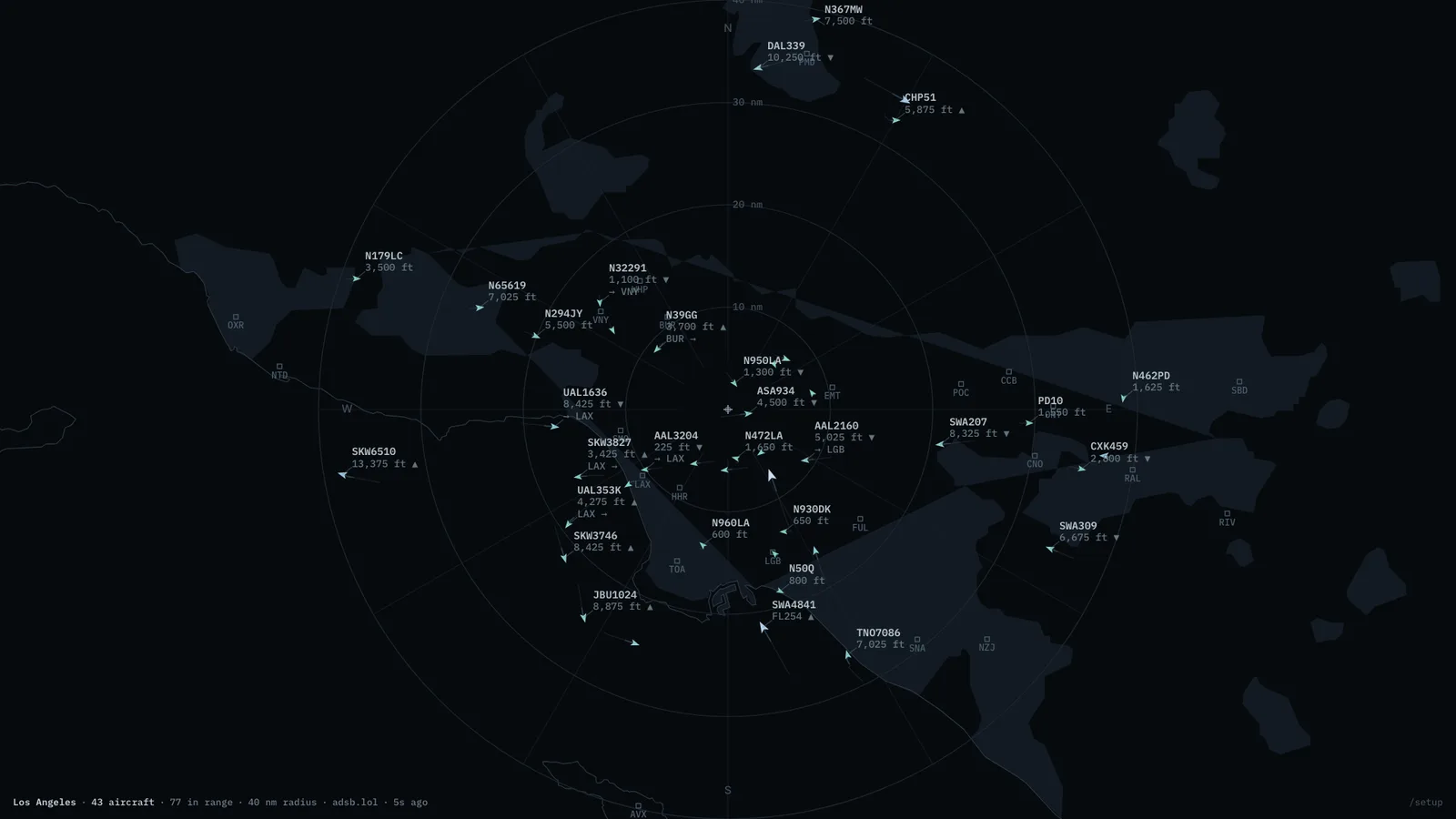
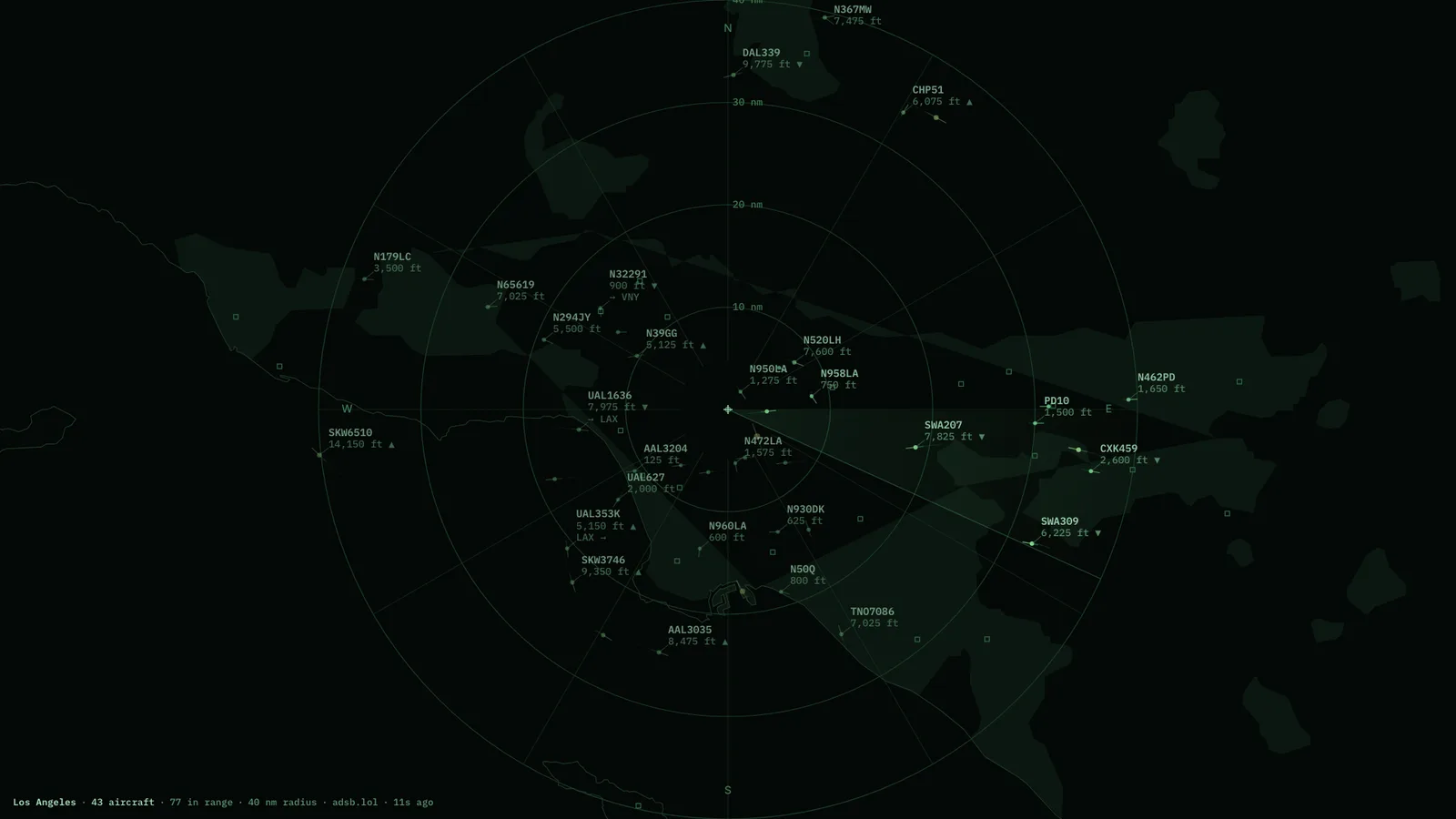
What is above you, and where it is going. Live aircraft within a radius you choose, drawn on a vector chart with no tile server anywhere in the stack. Callsigns resolve to airlines and type codes to aircraft, and a route is drawn only when the geometry honestly supports it — a half-known route says so rather than guessing.
MapBundled coastlines, labelled traffic, honest routes.RadarThe same airspace, with a sweep.
Where the aircraft come from
Volunteer community ADS-B networks. They are funded by people who run receivers on their own roofs, so the polling interval is deliberately gentle and should be left where it is.
Where it runs
The hosted page is a demo and may be unavailable: the volunteer ADS-B networks only answer home connections, not cloud servers. The Mac app runs its own copy from your own connection, and so does a container you run at home. Coastlines, airports and airline data are bundled in, so there are no map tiles and no API keys.
What it wants
A latitude, a longitude, and a radius. Aircraft dead-reckon along heading and speed between polls, so motion stays continuous rather than teleporting.
Setup
Put Flights Overhead on a screen.
A browser is genuinely enough — the Mac app and Fully Kiosk below are conveniences, not requirements.
Any screen
nothing to install
Open the display in whatever browser the screen already has.
Go full screen: F11 on Windows and Linux, ⌃⌘F on macOS.
Or give it a browser of its own, which is what a dedicated panel wants: chrome --kiosk <url> — on macOS, open -a "Google Chrome" --args --kiosk <url>.
Turn off display sleep in the machine’s power settings and walk away.
Works on anything with a browser
Mac desktop
LivingKiosk app
Get the app and its install steps at livingkiosk.com/mac. It isn’t notarized yet, so macOS asks you to approve it once.
Menu bar → Library… and pick a display for each screen.
Configure… on any screen for its reload schedule, dim, and saved configs.
Displays are ordinary web pages, so anything that can hold one open works: a Raspberry Pi on a monitor, a retired iPad, a Fire tablet, the browser built into a TV.
Configuration
URL parameters.
Everything below, plus a live preview and a URL builder that writes the link for you, is at flights.livingkiosk.com/setup.
Parameter
Default
Meaning
lat / lon
env default (34.05 / -118.24)
Centre of the display. Needed together — half a pair is ignored.
radius
40
Search radius in nautical miles, 5–250 — also the outermost range ring.
style
map
map or radar.
labels
standard
min (callsign only), standard (+altitude, route), or full (+speed, type, airline).
units
imperial
imperial or metric.
trails
on
Fading track behind each aircraft.
rings
on
Range rings, spokes, compass letters.
max
250
Most aircraft drawn, nearest first (10–600) — worth lowering on a Raspberry Pi.
dim
0
Black scrim over everything, 0 to 0.8 (fleet-wide convention).
Flights Overhead is open source under the MIT licence. Run it yourself with one command. The source opens to the public soon.